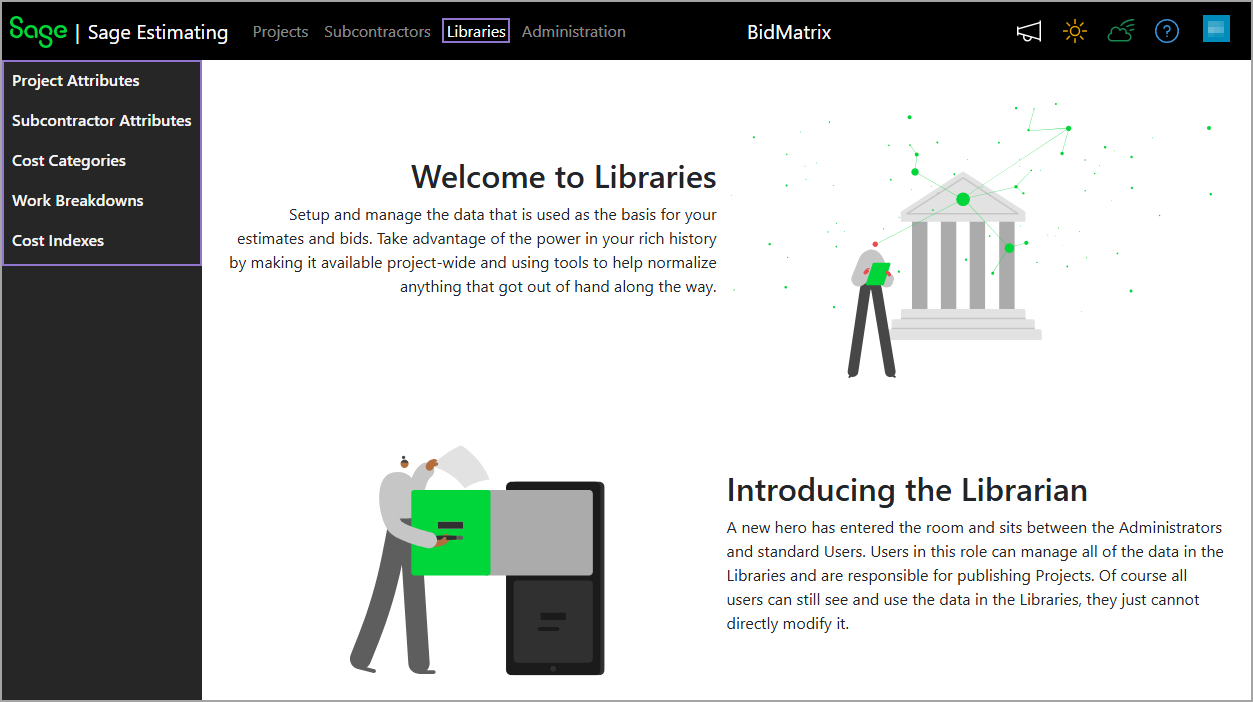
New Libraries menu
Related information
 Related topics
We've introduced a Libraries menu to improve organization and streamline navigation. The Libraries menu provides a centralized location where Admins and Librarians can view and manage key reference data used in estimates and bids. It includes the following items in the navigation pane:
-
Project Attributes and Subcontractor Attributes are now grouped under the Libraries menu for easier access.
-
Cost Categories were previously found within each individual project. They have now been moved under the Libraries menu to enable you to add and manage cost categories across all projects from a single location.
-
Work Breakdowns, which were previously available only within individual projects, are now also accessible under the Libraries menu. This enhancement enables you to manage work breakdowns across all projects from a centralized location. By default, changes made to work breakdowns within a specific project apply only to that project, while changes made from the Libraries menu apply globally across all projects. An icon has also been added in the work breakdown structures and values to indicate whether they're available globally (
 ) or project-specific (
 ).
). -
Cost Indexes is a new area to add cost indexes that can track changes in the cost of goods and services over time and regions. The cost indexes created in Sage Estimating (cloud) can be used in the Bid Insights feature to normalize subcontractor historical bids based on market fluctuations, regional cost differences, and other factors. You have the option to create custom cost indexes or use the existing CPI All or CPI Regional cost indexes.