Map cost categories when importing estimates
Related information
 Related topics
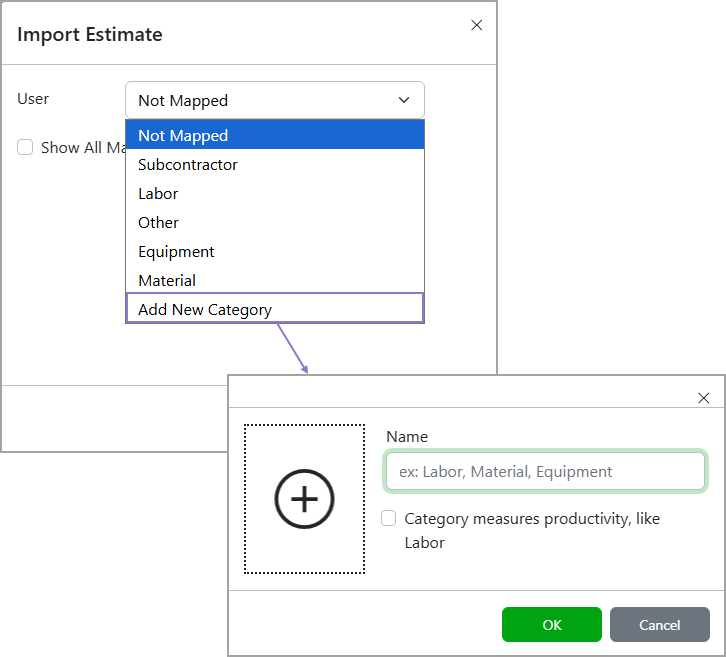
The first time you import an estimate, you’ll be prompted to map incoming cost category names to your library’s cost categories. Sage Estimating (cloud), formerly Sage BidMatrix, suggests matches automatically, and after you confirm them, you will not be asked again, unless new cost category names appear in future imports. Each cost category can only be mapped to one name in the file, and any unmapped or duplicate selections will need to be resolved before continuing. Admins and Librarians can also add new cost categories directly during mapping by selecting the Add New Category option in the dialog.
You can reset all mappings anytime using the Reset Mappings option in the Cost Categories page.
