Enhancements in the Create Project wizard
Related information
 Related topics
The following improvements have been made in the Details step:
-
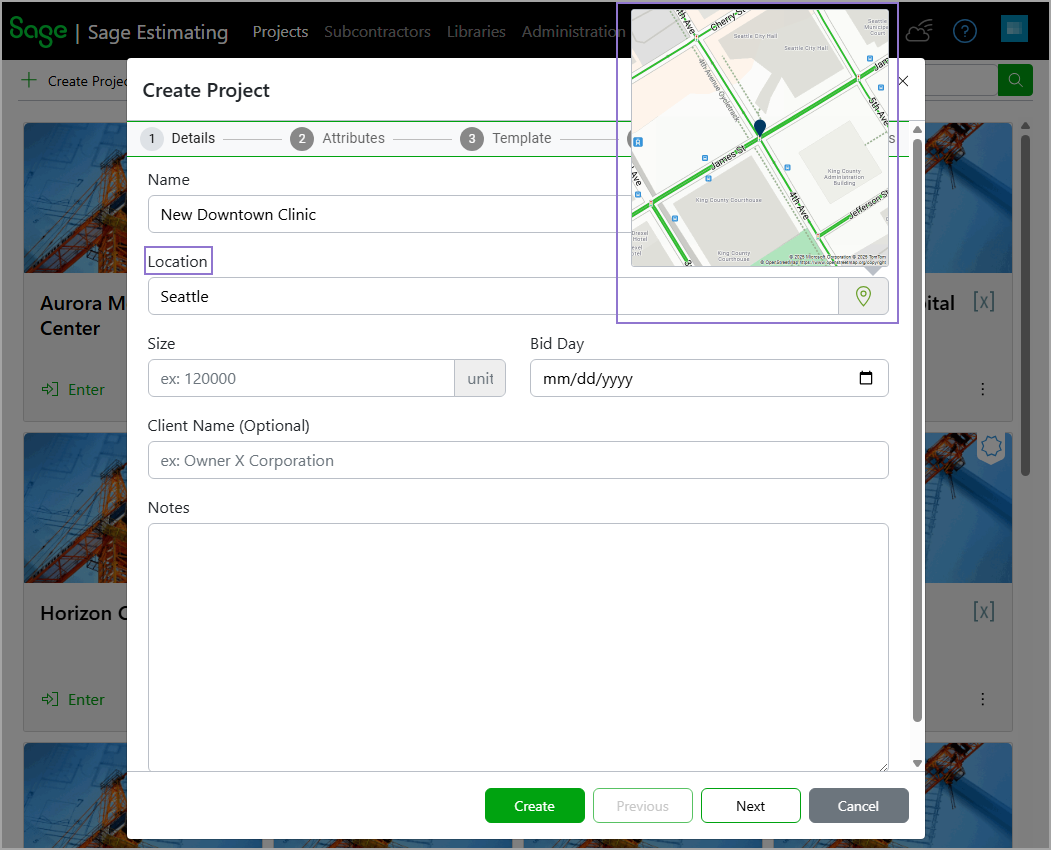
The Location field has been added. You can provide details such as the street address, city, ZIP code, region, state, or country. Sage Estimating (cloud), formerly Sage BidMatrix, then uses Azure Maps to identify the geographical location. If a match is found, the location pin icon turns green and you can hover over it to preview the identified location on the map.
-
The Client Name field is now optional.
In addition:
-
The Image step has been removed to simplify project setup. You can add or update project images from the Summary tab of the project information pane after the project has been created.
-
The Insights step has been added to manage the parameters for the Bid Insights feature.