Adding a bottom-line markup with steps
Sage Estimating (cloud), formerly Sage BidMatrix, allows you to include bottom-line markups with graduated percentages, or steps, such as for bonds. This is often required when you need to create a bond markup for the project.
Bottom-line markups with steps calculate amounts based on the percentages you set up at each step. Because they are bottom-line markups, they include the markup amount when calculating the project gross total.
Example: This example of a bottom-line markup includes three steps:
-
The first step calculates 1.25% of the first $300,000.
-
The second step calculates 1.0% of the first $1,000,000 less the amount from the previous step, which is 1.0% of the next $700,000.
-
The third step calculates .75% of $10,000,000, less the amount from the previous step, which is.75% of $9,000,000.
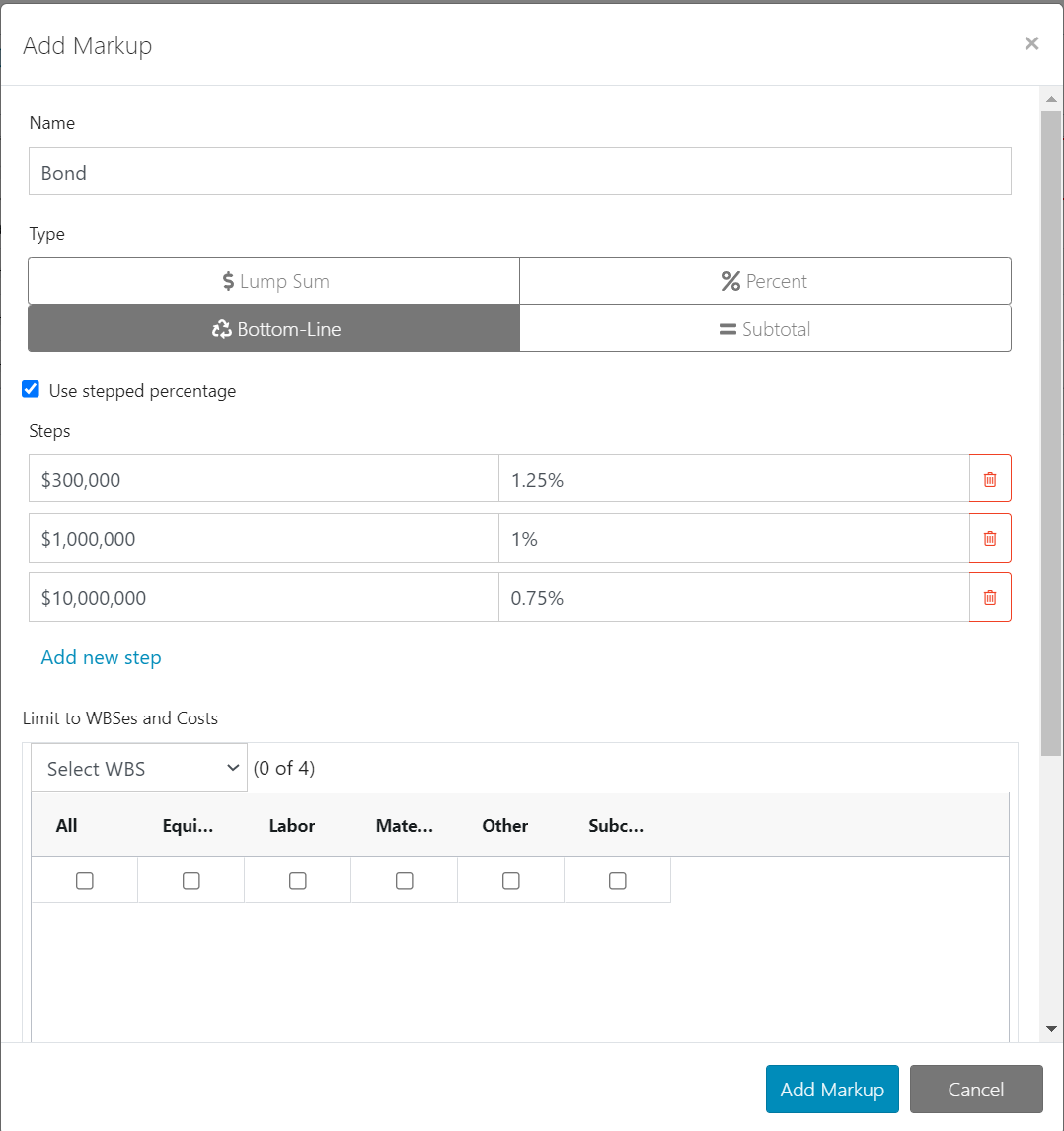
To add a bottom-line markup with percentage steps:
-
On the Summary Sheet toolbar, select Totals/Markups.
-
In the Totals/Markups panel, right-click any row and then select Insert New Below or Insert New Above.
-
In the Add Markup window that appears, type a description for the new markup and then select Bottom-Line for the markup type.
-
Select Use Stepped Percentages.
-
Enter the amount and the percentage for each step.